Rocky Linux 9 (9.5) htop install
1. Add EPEL yum repository (* if not added)
Rocky Linux 9 (9.5) EPEL yum repository add
$ sudo dnf install epel-releaseor$ sudo yum install epel-release [ Execution Log ][gangserver@localhost ~]$ sudo dnf install epel-release마지막 메타자료 만료확인(0:01:06 이전): 2025년 04월 02일 (수) 오전 05시 23분
dasom.net
2. Install htop
$ sudo dnf install htop
or
$ sudo yum install htop
[ Execution Log ]
[gangserver@localhost ~]$ sudo dnf install htop
[sudo] gangserver의 암호:
Extra Packages for Enterprise Linux 9 - x86_64 5.3 MB/s | 23 MB 00:04
Extra Packages for Enterprise Linux 9 openh264 1.0 kB/s | 2.5 kB 00:02
종속성이 해결되었습니다.
================================================================================
꾸러미 구조 버전 저장소 크기
================================================================================
설치 중:
htop x86_64 3.3.0-1.el9 epel 198 k
종속 꾸러미 설치 중:
hwloc-libs x86_64 2.4.1-5.el9 baseos 2.1 M
연결 요약
================================================================================
설치 2 꾸러미
전체 내려받기 크기: 2.3 M
설치된 크기 : 3.5 M
진행할까요? [y/N]: y
(... Log omitted ...)
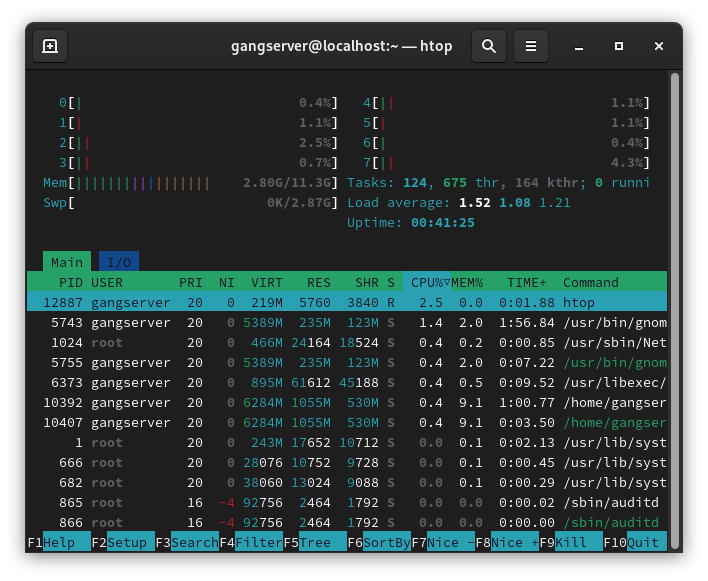
3. Run htop
$ htop