(English) CSV, Excel, Calc, JSON, XML, TSV, HTML simple viewer (v 0.2.5) - Windows 11
(Korean) 아래 설명은 영어로 되어 있습니다.
우분투(Ubuntu)용 한국어 설명은 아래 링크를 참고해주세요.
- Windows 11 CSV(.csv), Excel(.xlsx, .xls), OpenDocument Spreadsheet Calc(.ods), JSON(.json), XML(.xml), TSV(.tsv), HTML(.html, .htm) simple viewer
* Version : 0.2.5
* Release date : 2026-09-22 [Y-M-D]
- Patch date :
* Starting with version 0.2.0, the Windows version is distributed as an NSIS(Nullsoft Scriptable Install System) installer.
(e.g., dsnet-viewer-[Qt version]-[Version]-Setup-x86_64.exe)
This is an older version for Windows. For the latest version, please refer to the link below.
- NSIS installer version / Portable version
(v 0.2.7) http://dasom.net/449
* If you need the last version for Ubuntu, please refer to the link below.
- Debian package version(.deb) / AppImage version / Portable version
(v 0.2.7) http://dasom.net/450
This is a CSV, Excel, (LibreOffice/OpenOffice) Calc, JSON, XML, TSV(Tab-Separated Values) and HTML simple viewer developed using (Qt6 version : pandas + PySide6 + pyinstaller), (Qt5 version : pandas + PyQt5 + pyinstaller).
[ Features ]
- It reads the file and displays it on the screen in a table format.
- Open local files.
- Open remote files using a URL.
- (Supports local files only; remote files not supported) Convert file formats (e.g., convert an xlsx document to csv).
- Simple search function: Search within an opened file using keywords.
- Supported file extensions : csv, xlsx, xls, ods, json, xml, tsv, html, htm
* For HTML (.html, .htm) data, only data formatted as tables (using the "<table>" tag) within the HTML file is processed; therefore, data cannot be imported if there are no tables ("<table>" tags).
[ Download ]
Caution! - To prevent spam downloads, the download URL below is changed periodically.
( Qt6 version )
- Installer version (filename : dsnet-viewer-qt6-0.2.5-Setup-x86_64.exe / 70MB)
https://drive.google.com/file/d/1uD-YGga_vMHtys_e_D-J2dfOiZ3-xjv_/view?usp=sharing
- Portable version (filename : dsnet-viewer-qt6.exe / 71MB)
https://drive.google.com/file/d/1IZwUYe5wsZOpbO-B8QxgQzY4yA3kAiM7/view?usp=sharing
( Qt5 version )
- Installer version (filename : dsnet-viewer-qt-0.2.5-Setup-x86_64.exe / 63MB)
https://drive.google.com/file/d/1_7u-fa7xB7DiQjFprQhDBwBSurCZmgTG/view?usp=sharing
- Portable version (filename : dsnet-viewer-qt.exe / 64MB)
https://drive.google.com/file/d/1sNpKQJqcBiktGl4ATcuo-eqP_ulyHiL3/view?usp=sharing
[ Installation - Installer version ]
When you download the installation file, it will be downloaded with the filename "dsnet-viewer-[Qt version]-[Version]-Setup-x86_64.exe".
If you run this file in File Explorer or similar, the installation will proceed.
* The display varies as shown below, depending on the Qt version and the application version.
| Qt version | Version | Program name |
| Qt6 | 0.2.5 | DSNet Viewer (Qt6) 0.2.5 |
| Qt5 | 0.2.5 | DSNet Viewer (Qt5) 0.2.5 |
1. Click the [Next] button

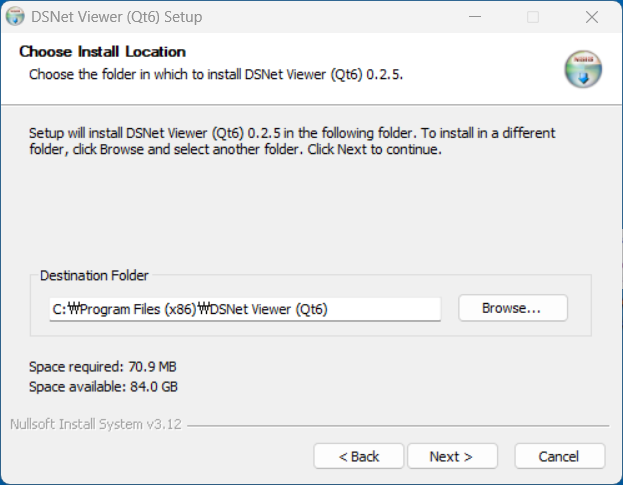
2. If you change the installation directory, click the [Next] button after changing the directory.
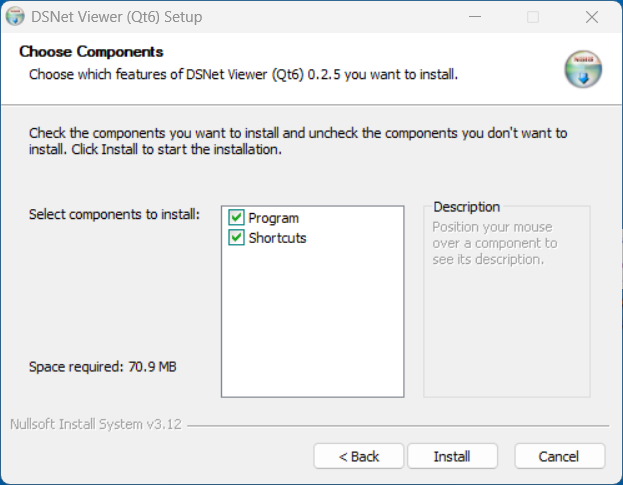
3. Select installation options and click the [Install] button.
- Program : DSNet Viewer program files.
- Shortcuts : Create program start menu and desktop shortcuts.
4. Installation complete

[ Run - Installer version ]
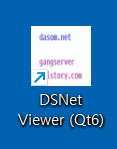
Click the Start menu or the program shortcut on the desktop.
( Qt6 )
( Qt5 )

[ Run - Portable version ]
Run the downloaded portable version file in File Explorer.
(Qt6)

(Qt5)

Alternatively,
you can launch the Command Prompt and run the executable file along with the path to the file you want to read.
(Windows 11 : Start > Windows Tools > Command Prompt)
(Windows 10 : Start > Windows System > Command Prompt)
> dsnet-viewer-qt6.exe [File path\File name]
ex) > dsnet-viewer-qt6.exe c:\data\test\iris.xlsx
* If an error occurs when running a file on Windows, please refer to the information below.
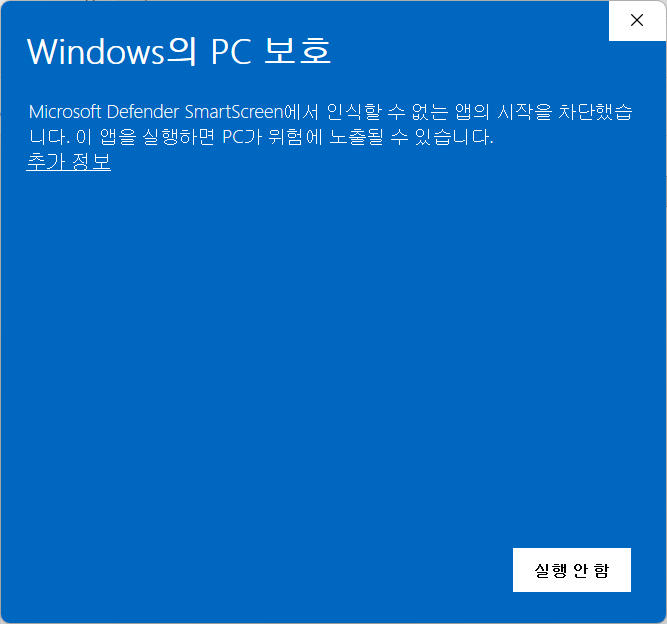
We used to have to, upon downloading a file from another computer, go to the file's Properties and then go to the General page t
Before we could use a downloaded file (from another computer), we were required to right-click on the file, select Properties and the General. We were told this was a security measure to help protect you computer from malware sneaking onto your computer…
learn.microsoft.com
[ Uninstallation - Installer version ]
Remove the installed "DSNet Viewer ([Qt version]) [Version]" from "Add/Remove Programs".
| Qt version | Version | Program name |
| Qt6 | 0.2.5 | DSNet Viewer (Qt6) 0.2.5 |
| Qt5 | 0.2.5 | DSNet Viewer (Qt5) 0.2.5 |
( Qt6 )

( Qt5 )

[ Uninstallation - Portable version ]
Delete the downloaded file.
[ Running screen ] - Screen when OS dark theme is applied
* The first line of data is used as the column header name.
( Qt6 )
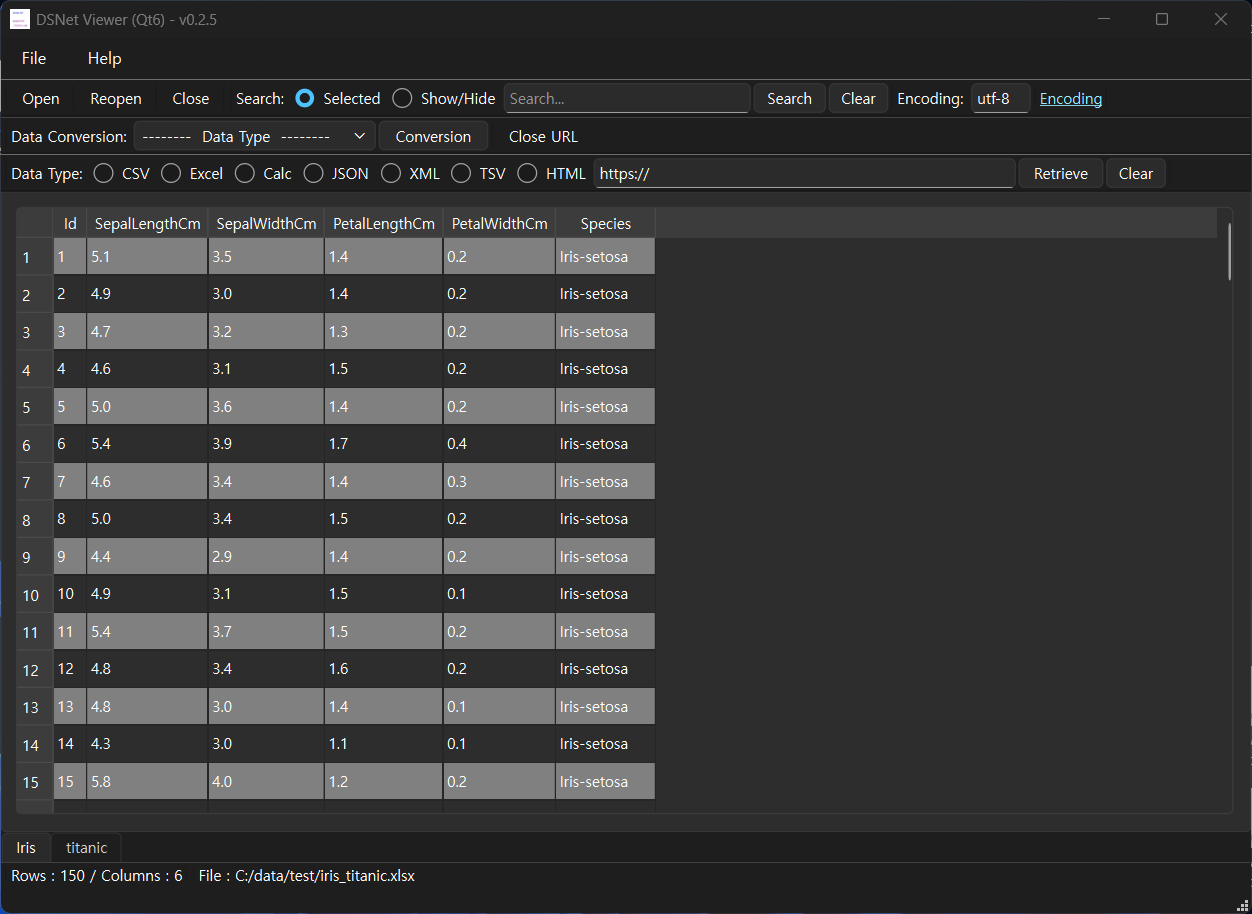
( Qt5 )

[ File hash check ]
File sha256 hash value :
( Qt6 )
- dsnet-viewer-qt6-0.2.5-Setup-x86_64.exe :
dda3c178bee15f7fbfdf89d832d40aa07adf48b130c9cf12742587d51488e604
- dsnet-viewer-qt6.exe :
04dabefe9cc3b45712974c19668cec52fcdfc3fd0a70f649856b58ea5a750b10
( Qt5 )
- dsnet-viewer-qt-0.2.5-Setup-x86_64.exe :
df742f7bdf18bd13c1e48b98a07b9ce993406b673a01c537653fb57ff16ca614
- dsnet-viewer-qt.exe :
b8b65d4d6941ab53a85f9c90db04910f9faa004df91bbb0e3e0e4bcba29f2a39
* To check the SHA256 hash of a file in Windows 11,
use the PowerShell command Get-FileHash <file_path> -Algorithm SHA256.
Alternatively, use certutil -hashfile <file_path> SHA256 in Command Prompt.
[ Command Prompt ]
C:\Users\gangserver\Downloads>certutil -hashfile dsnet-viewer-qt6-0.2.5-Setup-x86_64.exe SHA256
SHA256의 dsnet-viewer-qt6-0.2.5-Setup-x86_64.exe 해시:
dda3c178bee15f7fbfdf89d832d40aa07adf48b130c9cf12742587d51488e604
CertUtil: -hashfile 명령이 성공적으로 완료되었습니다.
[ PowerShell ]
PS C:\Users\gangserver\Downloads> Get-FileHash dsnet-viewer-qt6-0.2.5-Setup-x86_64.exe -Algorithm SHA256
Algorithm Hash Path
--------- ---- ----
SHA256 DDA3C178BEE15F7FBFDF89D832D40AA07ADF48B130C9CF12742587D51488E604 C:\Users\gangserver\Downloads\dsnet-viewer-qt6-0.2.5-Se...
[ Development environment ]
(* Bold text indicates updated modules.)
python : 3.12.x
pandas : 3.0.6
python-calamine : 0.8.2
lxml : 6.1.3
xlsxwriter : 3.2.9
openpyxl : 3.1.5
xlrd : 2.0.2
odfpy : 1.4.1
pyinstaller : 6.22.3
(Added)
beautifulsoup4 : 4.15.0
html5lib : 1.1
( Qt6 )
PySide6 : 6.11.2
( Qt5 )
PyQt5 : 5.15.11
[ License ]
This program is freeware.
(This program is available for anyone to use for free.)
This program does not warrant against any problems that may occur during use.
This program does not collect or transmit any personal information or data from users.
This program can only be distributed on the following site.
http://dasom.net
https://gangserver.tistory.com
[ Update information ]
0.2.5 (2026-09-22 [Y-M-D])
- Application name changed : "DSN Viewer" to "DSNet Viewer"
- HTML data format(.html, .htm) support