(English) CSV, Excel, Calc, JSON, XML, TSV simple viewer (v 0.2.4) - Windows 11
(Korean) 아래 설명은 영어로 되어 있습니다.
윈도우(Windows)용 한국어 설명은 아래 링크를 참고해주세요.
- Windows 11 CSV(.csv), Excel(.xlsx, .xls), OpenDocument Spreadsheet Calc(.ods), JSON(.json), XML(.xml), TSV(.tsv) simple viewer
* Version : 0.2.4
* Release date : 2026-09-09 [Y-M-D]
- Patch date :
* Starting with version 0.2.0, the Windows version is distributed as an NSIS(Nullsoft Scriptable Install System) installer.
(e.g., dsn-viewer-[qt version]-[version]-Setup-x86_64.exe)
This is an older version for Windows. For the latest version, please refer to the link below.
- NSIS installer version / Portable version
(v 0.2.7) http://dasom.net/449
* If you need the last version for Ubuntu, please refer to the link below.
- Debian package version(.deb) / AppImage version / Portable version
(v 0.2.7) http://dasom.net/450
This is a CSV, Excel, (LibreOffice/OpenOffice) Calc, JSON, XML and TSV(Tab-Separated Values) simple viewer developed using (Qt6 version : pandas + PySide6 + pyinstaller), (Qt5 version : pandas + PyQt5 + pyinstaller).
[ Download ]
Caution! - To prevent spam downloads, the download URL below is changed periodically.
( Qt6 version )
- Installer version (filename : dsn-viewer-qt6-0.2.4-Setup-x86_64.exe / 70MB)
https://drive.google.com/file/d/1q_CM5u49P70nQ1CmbH3nr8FTuSsvfNN3/view?usp=sharing
- Portable version (filename : dsn-viewer-qt6.exe / 70MB)
https://drive.google.com/file/d/18oE6eXWTPuRw0ilwwtcCeMID5zKNPMLG/view?usp=sharing
( Qt5 version )
- Installer version (filename : dsn-viewer-qt-0.2.4-Setup-x86_64.exe / 63MB)
https://drive.google.com/file/d/1ffTdxIYtk6hpv-l5TXwgWdmKNWHnr7iT/view?usp=sharing
- Portable version (filename : dsn-viewer-qt.exe / 63MB)
https://drive.google.com/file/d/19xN5oW54hhW90Vl5PwnfSG_t0xYaWrbh/view?usp=sharing
[ Installation / Uninstallation / License ]
Please refer to the links below for information regarding installation, uninstallation and licensing.
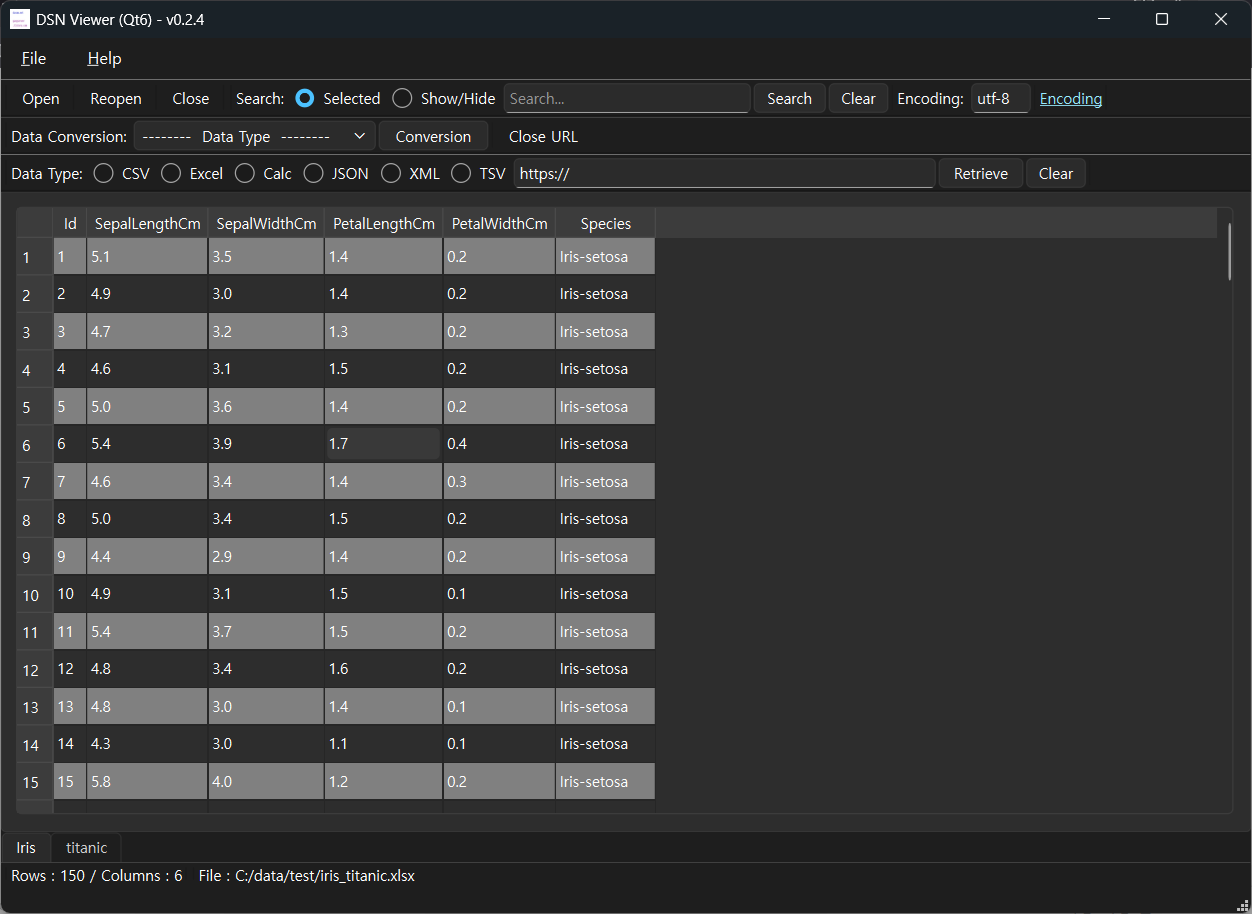
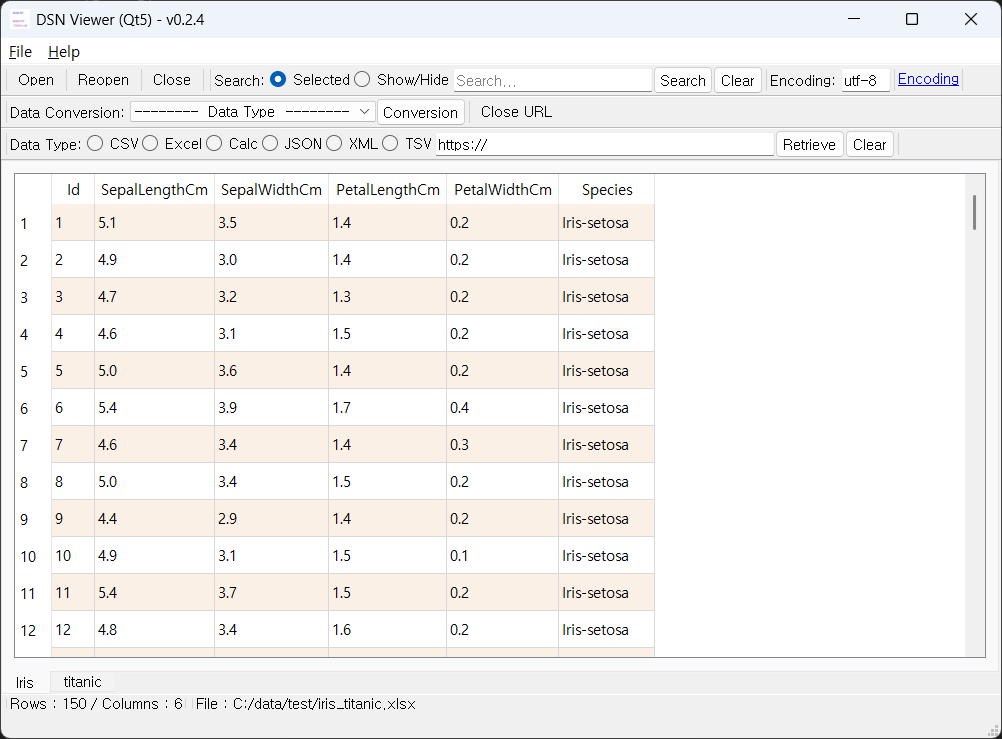
[ Running screen ] - Screen when OS dark theme is applied
* The first line of data is used as the column header name.
( Qt6 )
( Qt5 )
[ File hash check ]
File sha256 hash value :
( Qt6 )
- dsn-viewer-qt6-0.2.4-Setup-x86_64.exe :
615cd45398f2cab947694db9615f424029e40b7a6e97ef782cf46ee9988ab865
- dsn-viewer-qt6.exe :
b097541f33fc2e673c24cc1bbf7e4614a82aa6b6edf10a72754475a7efef419c
( Qt5 )
- dsn-viewer-qt-0.2.4-Setup-x86_64.exe :
ddf91a3f7df501b998791500a8a7b90503feb23362f31793ea964b8dc2110bc6
- dsn-viewer-qt.exe :
ad5c74b65d9a830fa2392e8dc52d2f82cc2840060af9e55fefb08a602359d138
* To check the SHA256 hash of a file in Windows 11,
use the PowerShell command Get-FileHash <file_path> -Algorithm SHA256.
Alternatively, use certutil -hashfile <file_path> SHA256 in Command Prompt.
[ Command Prompt ]
C:\Users\gangserver\Downloads>certutil -hashfile dsn-viewer-qt6-0.2.4-Setup-x86_64.exe SHA256
SHA256의 dsn-viewer-qt6-0.2.4-Setup-x86_64.exe 해시:
615cd45398f2cab947694db9615f424029e40b7a6e97ef782cf46ee9988ab865
CertUtil: -hashfile 명령이 성공적으로 완료되었습니다.
[ PowerShell ]
PS C:\Users\gangserver\Downloads> Get-FileHash dsn-viewer-qt6-0.2.4-Setup-x86_64.exe -Algorithm SHA256
Algorithm Hash Path
--------- ---- ----
SHA256 615CD45398F2CAB947694DB9615F424029E40B7A6E97EF782CF46EE9988AB865 C:\Users\gangserver\Downloads\dsn-viewer-qt6-0.2.4-Se...
[ Development environment ]
(* Bold text indicates updated modules.)
python : 3.13.x
pandas : 3.0.5
python-calamine : 0.8.2
lxml : 6.1.3
xlsxwriter : 3.2.9
openpyxl : 3.1.5
xlrd : 2.0.2
odfpy : 1.4.1
pyinstaller : 6.22.2
( Qt6 )
PySide6 : 6.11.2
( Qt5 )
PyQt5 : 5.15.11
[ Update information ]
0.2.4 (2026-09-09 [Y-M-D])
- Fixed an issue where the background color row was not visible when using the OS dark theme