- Ubuntu 24.04 CSV(.csv), Excel(.xlsx, .xls), OpenDocument Spreadsheet Calc(.ods), JSON(.json), XML(.xml), TSV(.tsv) simple viewer
* Version : 0.2.3
* Release date : 2026-08-20 [Y-M-D]
- Patch date : 2026-09-06 [Y-M-D]
* Starting with version 0.2.0, the Ubuntu version is distributed as a Debian package(.deb).
(e.g., dsn-viewer_[version]_amd64.deb)
This is an older version for Ubuntu. For the latest version, please refer to the link below.
- Debian package version(.deb) / AppImage version / Portable version
(v 0.2.7) http://dasom.net/450
* If you need the last version for Windows, please refer to the link below.
- NSIS installer version / Portable version
(v 0.2.7) http://dasom.net/449
This is a CSV, Excel, (LibreOffice/OpenOffice) Calc, JSON, XML and TSV(Tab-Separated Values) simple viewer developed using (Qt6 version : pandas + PySide6 + pyinstaller), (Qt5 version : pandas + PyQt5 + pyinstaller).
[ Download ]
Caution! - To prevent spam downloads, the download URL below is changed periodically.
( Qt6 version )
- Debian package version (filename : dsn-viewer-qt6_0.2.3_amd64.deb)
https://drive.google.com/file/d/1W_2seYB4GsNPiPG9-yFv636GmyokD2qc/view?usp=sharing
- AppImage version (filename : dsn-viewer-qt6-0.2.3-x86_64.AppImage)
https://drive.google.com/file/d/1y6mBpGC04pMEd2FRFLExQ8uAhcbBo7rQ/view?usp=sharing
- Portable version (filename : dsn-viewer-qt6)
https://drive.google.com/file/d/1HbapzS7MQeQXGQBVjavgPIzBSCqZo8Oa/view?usp=sharing
( Qt5 version )
- Debian package version (filename : dsn-viewer-qt_0.2.3_amd64.deb)
https://drive.google.com/file/d/1C3Us2AbMH7BS2voYKx7VLbYwVRubOtgc/view?usp=sharing
- AppImage version (filename : dsn-viewer-qt-0.2.3-x86_64.AppImage)
https://drive.google.com/file/d/1PyLWt4RTQwXpcX0ii24InBDZgxuuTCib/view?usp=sharing
- Portable version (filename : dsn-viewer-qt)
https://drive.google.com/file/d/1pszm6_Et4oVG4UsBTvM5Gnitt0CfVj3T/view?usp=sharing
[ Installation - Debian package version(.deb) ]
After running the terminal, change to the downloaded directory
and execute the Debian packaging installation command as follows.
( Qt6 )
$ sudo dpkg -i dsn-viewer-qt6_0.2.3_amd64.deb
or
$ sudo apt install ./dsn-viewer-qt6_0.2.3_amd64.deb
( Qt5 )
$ sudo dpkg -i dsn-viewer-qt_0.2.3_amd64.deb
or
$ sudo apt install ./dsn-viewer-qt_0.2.3_amd64.deb
[ Run - Debian package version(.deb) ]
Click the installed "DSN Viewer" app to run it.
( Qt6 )
( Qt5 )
[ Run - AppImage version ]
- Check execution permissions
Please check if the dsn-viewer-[qt version]-[version]-x86_64.AppImage file has execute permissions.
If you do not have execute permissions, please run the terminal and add the permissions below.
( Qt6 )
$ chmod u+x dsn-viewer-qt6-0.2.3-x86_64.AppImage
( Qt5 )
$ chmod u+x dsn-viewer-qt-0.2.3-x86_64.AppImage
- Run
( Qt6 )
$ ./dsn-viewer-qt6-0.2.3-x86_64.AppImage
or
$ ./dsn-viewer-qt6-0.2.3-x86_64.AppImage [File path/File name]
ex) $ ./dsn-viewer-qt6-0.2.3-x86_64.AppImage ~/data/sample.xlsx
( Qt5 )
$ ./dsn-viewer-qt-0.2.3-x86_64.AppImage
or
$ ./dsn-viewer-qt-0.2.3-x86_64.AppImage [File path/File name]
ex) $ ./dsn-viewer-qt-0.2.3-x86_64.AppImage ~/data/sample.xlsx
[ Run - Portable version ]
- Check execution permissions
Please check if the dsn-viewer-[qt version] file has execute permissions.
If you do not have execute permissions, please run the terminal and add the permissions below.
( Qt6 )
$ chmod u+x dsn-viewer-qt6
( Qt5 )
$ chmod u+x dsn-viewer-qt
- Run
( Qt6 )
$ ./dsn-viewer-qt6
or
$ ./dsn-viewer-qt6 [File path/File name]
ex) $ ./dsn-viewer-qt6 ~/data/sample.xlsx
( Qt5 )
$ ./dsn-viewer-qt
or
$ ./dsn-viewer-qt [File path/File name]
ex) $ ./dsn-viewer-qt ~/data/sample.xlsx
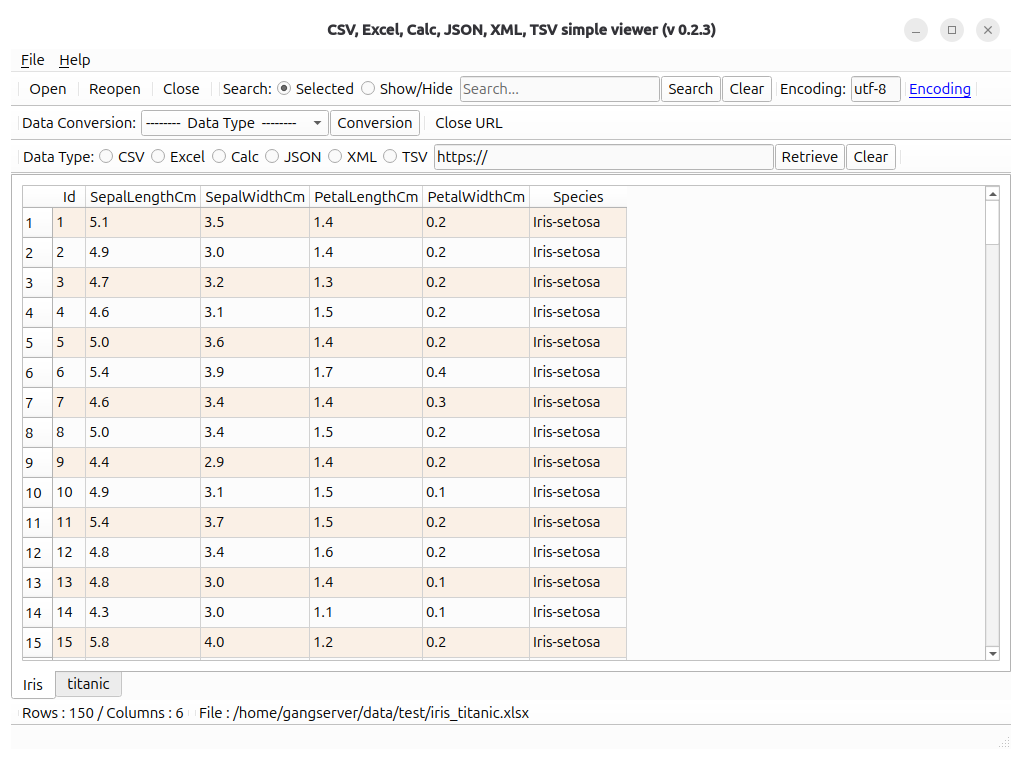
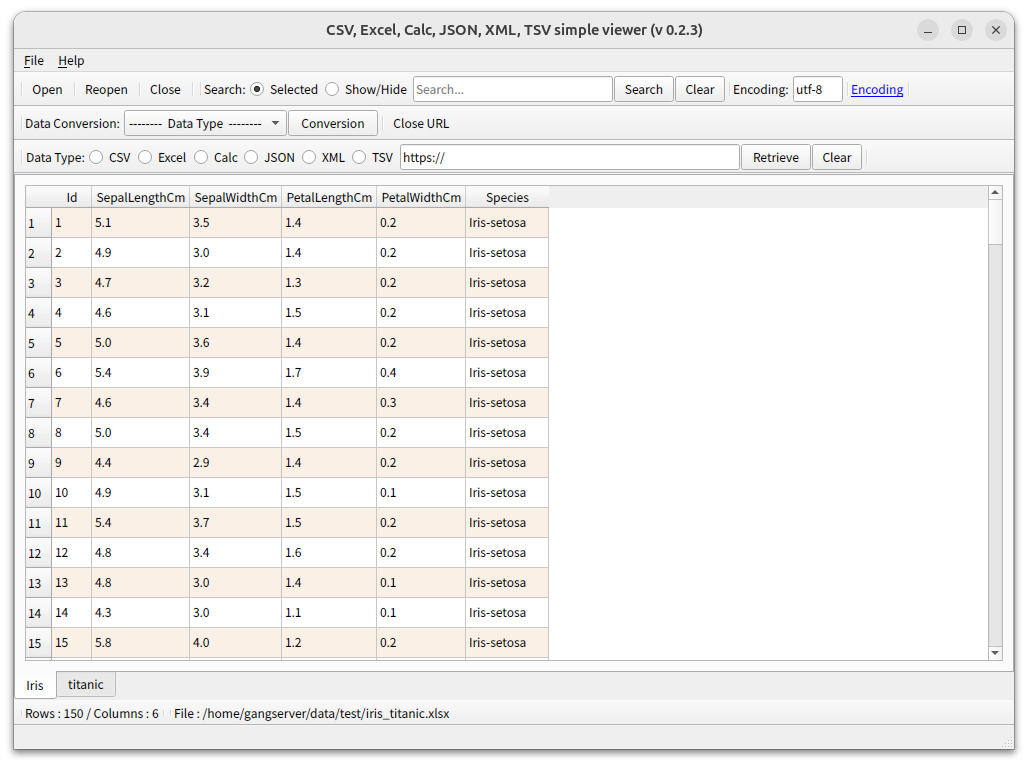
[ Running screen ]
* The first line of data is used as the column header name.
( Qt6 )
( Qt5 )
[ File hash check ]
File SHA256 hash value :
( Qt6 )
- dsn-viewer-qt6_0.2.3_amd64.deb :
7ea9ac6de67408961deef07edc7a3e945eed11adaaf344800d4d8bce38413066
- dsn-viewer-qt6-0.2.3-x86_64.AppImage :
d096fcb98f37db681f79aa4dc752d67a116dec585bed7aca886ebb332d83f18c
- dsn-viewer-qt6 :
9472f65465622faae69f4a35d7ced9ce43a1f17de07308ba2588df859e8e0da4
( Qt5 )
- dsn-viewer-qt_0.2.3_amd64.deb :
19a074c6f3376b797b3d0fc4d264f4abd70aa8051d64f533998ce5b7848f8c4b
- dsn-viewer-qt-0.2.3-x86_64.AppImage :
3ca25bfa4547756444bcf279d5a5dc3764324c7860f14a4b17de5956e95b8aa1
- dsn-viewer-qt :
5740807989cfc34ca823f49180c3030e8e7c7a6947249d74df0deb079613208c
* To check the SHA256 hash of a file in Ubuntu,
use the Terminal command sha256sum <file_path>
$ sha256sum dsn-viewer-qt6_0.2.3_amd64.deb
7ea9ac6de67408961deef07edc7a3e945eed11adaaf344800d4d8bce38413066 dsn-viewer-qt6_0.2.3_amd64.deb
[ Uninstallation - Debian package version(.deb) ]
After running the terminal, execute the Dabian packaging removal command as follows.
( Qt6 )
$ sudo apt remove dsn-viewer-qt6
( Qt5 )
$ sudo apt remove dsn-viewer-qt
[ Development environment ]
(* Bold text indicates updated modules.)
python : 3.12.x
pandas : 3.0.5
python-calamine : 0.8.2
lxml : 6.1.2
xlsxwriter : 3.2.9
openpyxl : 3.1.5
xlrd : 2.0.2
odfpy : 1.4.1
pyinstaller : 6.22.2
( Qt6 )
PySide6 : 6.11.2
( Qt5 )
PyQt5 : 5.15.11
[ License ]
This program is freeware.
(This program is available for anyone to use for free.)
This program does not warrant against any problems that may occur during use.
This program does not collect or transmit any personal information or data from users.
This program can only be distributed on the following site.
http://dasom.net
https://gangserver.tistory.com
[ Update information ]
0.2.3 (2026-08-20 [Y-M-D])
- Added Build version Qt6(6.11)
- Fixed an error in displaying filenames after conversion
when the converted extension is Excel (.xlsx, .xls) or Calc (.ods)
- Fixed errors when processing Excel (.xlsx, .xls) and Calc (.ods) files via URL opening
- Windows : Added "Open with" handling
Patch (2026-09-06 [Y-M-D])
- Add AppImage version