반응형

오류 50

Ubuntu 24.04 snap-store install

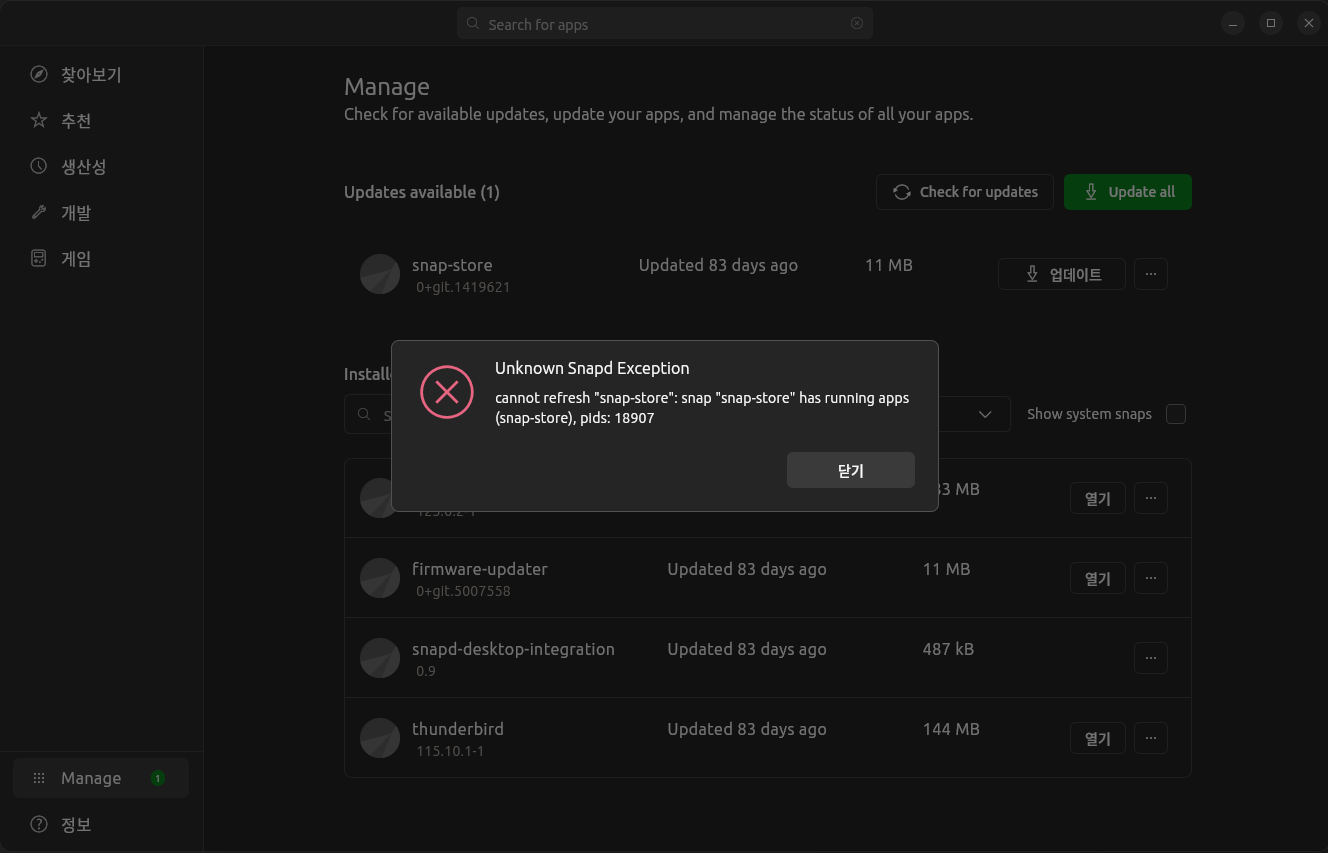
AppCenter 에서 snap-store 업데이트하려고 하면"snap-store"가 실행 중이라는 오류 메시지가 나오며 업데이트되지 않는다. [ Error message ]Unknown Snapd Exceptioncannot refresh "snap-store": snap "snap-store" has running apps(snap-store), pids: 18907 [ 해결 (Solve) ]터미널 실행해서 snap-store를 설치한다. (Terminal install) $ sudo snap refresh snap-store [ Install log ]gangserver@TCM73-I:~$ sudo snap refresh snap-store[sudo] gangserver 암호: "snap-stor..

OS/Ubuntu 2024.07.17

Ubuntu CPU-X AppImage execution : libfuse.so.2 error

~$ ./CPU-X-4.5.3-x86_64.AppImage dlopen(): error loading libfuse.so.2AppImages require FUSE to run. You might still be able to extract the contents of this AppImage if you run it with the --appimage-extract option. See https://github.com/AppImage/AppImageKit/wiki/FUSE for more information~$ sudo apt install libfuse2[sudo] gangserver 암호: 패키지 목록을 읽는 중입니다... 완료의존성 트리를 만드는 중입니다... 완료상태 정보를 읽는 중입니다....

OS/Ubuntu 2023.09.02

Ubuntu libssh2 library install

[ Error Message ]LibSSH2 library not found!To use SSH2 connections, please install the LibSSH2 library (libssh2.so.1)! [ Solution ]- Install libssh2-1 [ Execution log ]$ sudo apt install libssh2-1패키지 목록을 읽는 중입니다... 완료의존성 트리를 만드는 중입니다... 완료상태 정보를 읽는 중입니다... 완료 다음 새 패키지를 설치할 것입니다: libssh2-10개 업그레이드, 1개 새로 설치, 0개 제거 및 9개 업그레이드 안 함.109 k바이트 아카이브를 받아야 합니다.이 작업 후 377 k바이트의 디스크 공간을 더 사용하게 됩니다...

OS/Ubuntu 2023.05.12

Raspberry Pi - ImportError: libf77blas.so.3: cannot open shared object file: No such file or directory

[ Error message ]ImportError: libf77blas.so.3: cannot open shared object file: No such file or directory [ Solution ]- Install libatlas-base-dev$ sudo apt install libatlas-base-dev [ Python ]gangserver@raspberrypi:~/devel/pydev $ python BreamAndSmelt.pyTraceback (most recent call last): File "/home/gangserver/devel/pydev/BreamAndSmelt.py", line 35, in from sklearn.neighbors import KNeighbo..

개발/Python 2023.05.04

error loading libfuse.so.2

$ ./Vrew-0.13.24-x86_64.AppImage dlopen(): error loading libfuse.so.2AppImages require FUSE to run. You might still be able to extract the contents of this AppImage if you run it with the --appimage-extract option. See https://github.com/AppImage/AppImageKit/wiki/FUSE for more information => libfuse2 install$ sudo apt install libfuse2[sudo] gangserver 암호: 패키지 목록을 읽는 중입니다... 완료의존성 트리를 만드는 중입니다.....

OS/Ubuntu 2023.02.28
728x90
반응형