(English) The description below is in Korean.
Please refer to the link below for the English description for Ubuntu.
- 우분투(Ubuntu) 24.04 CSV(.csv), 엑셀/Excel(.xlsx, .xls), OpenDocument Spreadsheet Calc(.ods), JSON(.json), XML(.xml), TSV(.tsv), HTML(.html, .htm) 심플 뷰어
* 버전 : 0.2.6
* 릴리즈 날짜 : 2026-09-29
- 패치 날짜 :
* 버전 0.2.0부터 우분투(Ubuntu) 버전은 데비안 패키지(.deb)로 배포됩니다.
(예, dsnet-viewer-[Qt version]_[Version]_amd64.deb)
이것은 우분투(Ubuntu)용 구버전입니다. 최신 버전은 아래 링크를 참조해 주십시오.
- 데비안 패키지 버전(.deb) / 앱이미지(AppImage) 버전 / 포터블(Portable) 버전
(v 0.2.7) http://dasom.net/451
* 만약, 윈도우(Windows)용 최신 버전이 필요하시면 아래 링크를 참조해 주세요.
- NSIS 인스톨러(installer) 버전 / 포터블(Portable) 버전
(v 0.2.7) http://dasom.net/452
이 프로그램은 CSV, 엑셀/Excel, (리브레오피스/LibreOffice / 오픈오피스/OpenOffice) Calc, JSON, XML, TSV(Tab-Separated Values), HTML 심플 뷰어입니다.
다음을 사용하여 개발되었습니다.
(Qt6 버전: pandas + PySide6 + pyinstaller), (Qt5 버전: pandas + PyQt5 + pyinstaller)
[ 기능 ]
- 파일을 읽어 테이블 구조로 화면에 표시합니다.
- 로컬 파일을 열 수 있습니다.
- 원격 파일을 URL을 이용해 열 수 있습니다.
- (로컬 파일만 지원/원격 파일은 지원 안함) 파일 포맷을 변환 할 수 있습니다. (예, xlsx 문서를 csv로 변환)
- 간단 검색 기능 : 읽은 파일을 키워드로 검색할 수 있습니다.
- 지원하는 파일 확장자 : csv, xlsx, xls, ods, json, xml, tsv, html, htm
* HTML(.html, .htm) 데이터의 경우 HTML 파일에 있는 테이블(<table> 태그) 형식의 데이터만 처리하므로 테이블(<table> 테그)가 없는 경우 데이터를 가져올 수 없습니다.
[ 다운로드 ]
주의! - 스팸성 다운로드를 방지하기 위해 아래 다운로드 URL은 주기적으로 변경됩니다.
( Qt6 버전 )
- 데비안 패키지 버전 (파일명 : dsnet-viewer-qt6_0.2.6_amd64.deb / 99MB)
https://drive.google.com/file/d/1ZHlUuNEUmgEXcPUj5SOIK4AmeC90OjsJ/view?usp=sharing
- 앱이미지(AppImage) 버전 (파일명 : dsnet-viewer-qt6-0.2.6-x86_64.AppImage / 101MB)
https://drive.google.com/file/d/14IQrs_LbhTJ5ZVXF7q_BT75X3PSJC_4H/view?usp=sharing
- 포터블(Portable) 버전 (파일명 : dsnet-viewer-qt6 / 100MB)
https://drive.google.com/file/d/1FBskVQKnoyASELRk4ZJGr0hAPhmDZLbZ/view?usp=sharing
( Qt5 버전 )
- 데비안 패키지 버전 (파일명 : dsnet-viewer-qt_0.2.6_amd64.deb / 81MB)
https://drive.google.com/file/d/1FNJ3DKt2Co7msM0EGDDMxRcRfiFpqUYm/view?usp=sharing
- 앱이미지(AppImage) 버전 (파일명 : dsnet-viewer-qt-0.2.6-x86_64.AppImage / 82MB)
https://drive.google.com/file/d/1dUPGtbOr34xsfw308C4nAZtOl0m7Qnal/view?usp=sharing
- 포터블(Portable) 버전 (파일명 : dsnet-viewer-qt / 81MB)
https://drive.google.com/file/d/16871zQul2l8l0FHhSje5Sattilaj8KYw/view?usp=sharing
[ 설명서 ]
설명서는 아래 URL을 참고해주시기 바랍니다.
http://gangserver.dothome.co.kr/dsnet-viewer
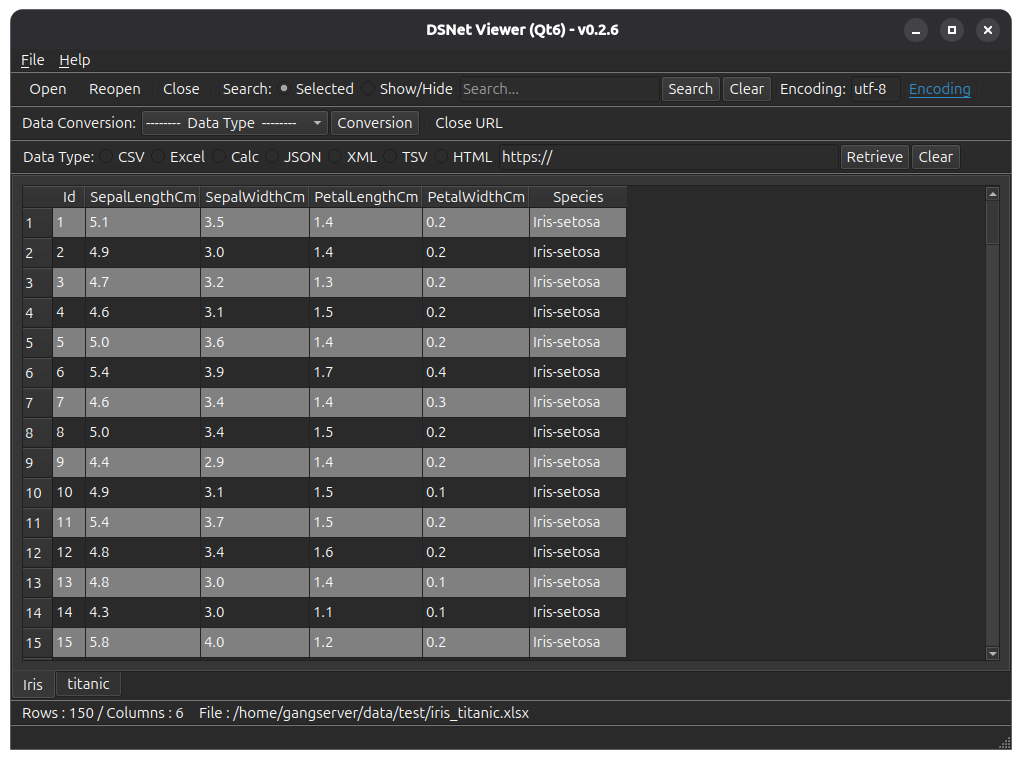
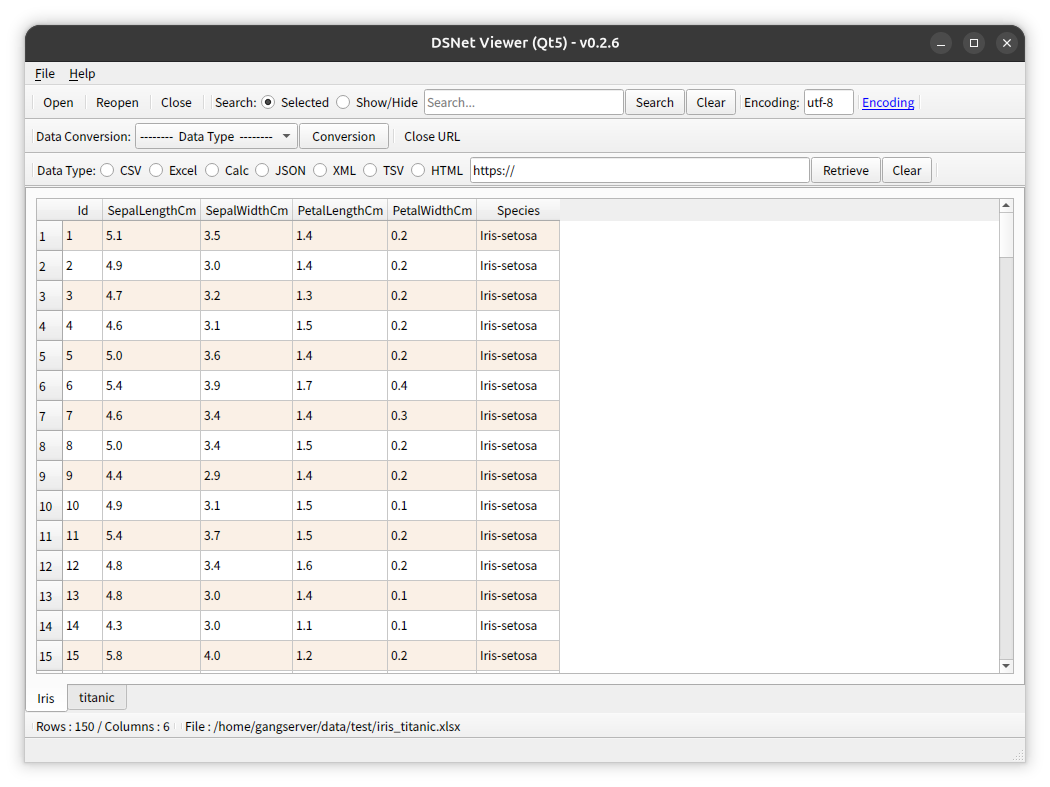
[ 실행 화면 ] - OS 다크 테마가 적용된 화면
* 데이터의 첫 번째 행은 열 이름으로 사용됩니다.
( Qt6 )
( Qt5 )
[ 파일 해시(hash) 확인 ]
파일 SHA256 해시(hash) 값 :
( Qt6 )
- dsnet-viewer-qt6_0.2.6_amd64.deb :
d61851d4e684cd47820b5b4879e4508c63541abb781546590f0fa4f49494a84a
- dsnet-viewer-qt6-0.2.6-x86_64.AppImage :
4309a9045103f6c3e8d3254944154450cd84ed3a310a0ef3be57f6adbbb1b792
- dsnet-viewer-qt6 :
aa10f1da3280257462a08862178c8857e37db0659cf979e408d7b2faf0c0f2c7
( Qt5 )
- dsnet-viewer-qt_0.2.6_amd64.deb :
52227de73dced97b8a000a6776b18488a3fd3519f0b222af8e26d9898cefc6e3
- dsnet-viewer-qt-0.2.6-x86_64.AppImage :
d15c298fec554ab8b4f90bcbc93a76dcdd6c4e4bdb75181ad697ce9f889932f2
- dsnet-viewer-qt :
db90c77b5d1eadd53867db00e94cfaaf0e0620e2cc7877f6dab5619a1aff2898
[ 개발 환경 ]
python : 3.12.x
pandas : 3.0.6
python-calamine : 0.8.2
lxml : 6.1.3
xlsxwriter : 3.2.9
openpyxl : 3.1.5
xlrd : 2.0.2
odfpy : 1.4.1
pyinstaller : 6.22.3
beautifulsoup4 : 4.15.0
html5lib : 1.1
( Qt6 )
PySide6 : 6.11.2
( Qt5 )
PyQt5 : 5.15.11
[ 업데이트 정보 ]
0.2.6 (2026-09-29)
- 파이썬 버전 업그레이드
윈도우 : 3.13 -> 3.14
- "ODF Spreadsheet (.ods)"로 파일 변환 시 오류 수정
- "Excel 97-2003 (.xls)"로 파일 변환 기능 삭제
- 윈도우 : 설치 날짜 오류 수정